🏗️ Buidling My First App
📝 Step 2: Create the Storytelling Logic
Add an Assistant Node:
- Click the Assistant node to add it to the workflow.
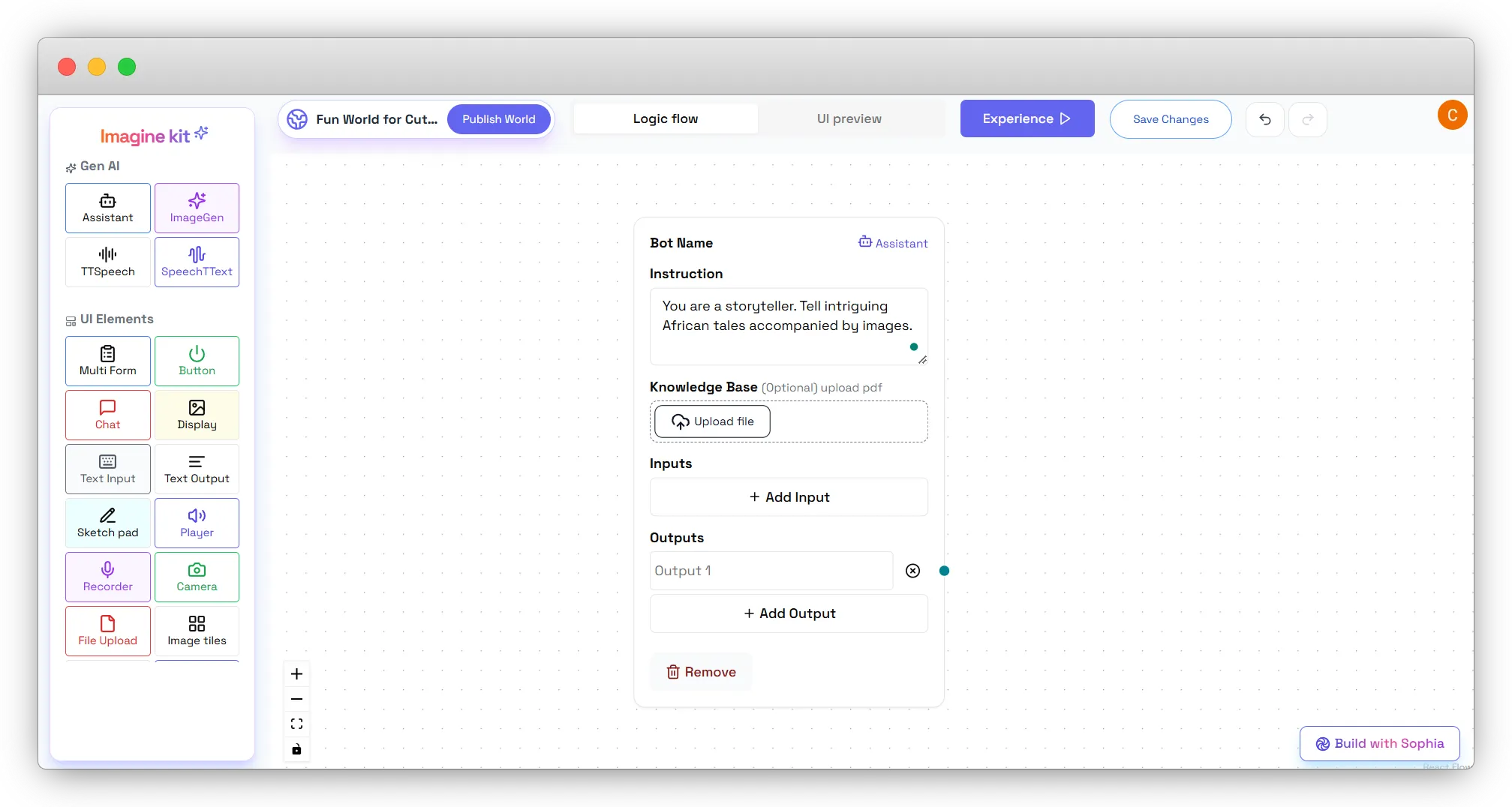
- Set its instruction to:
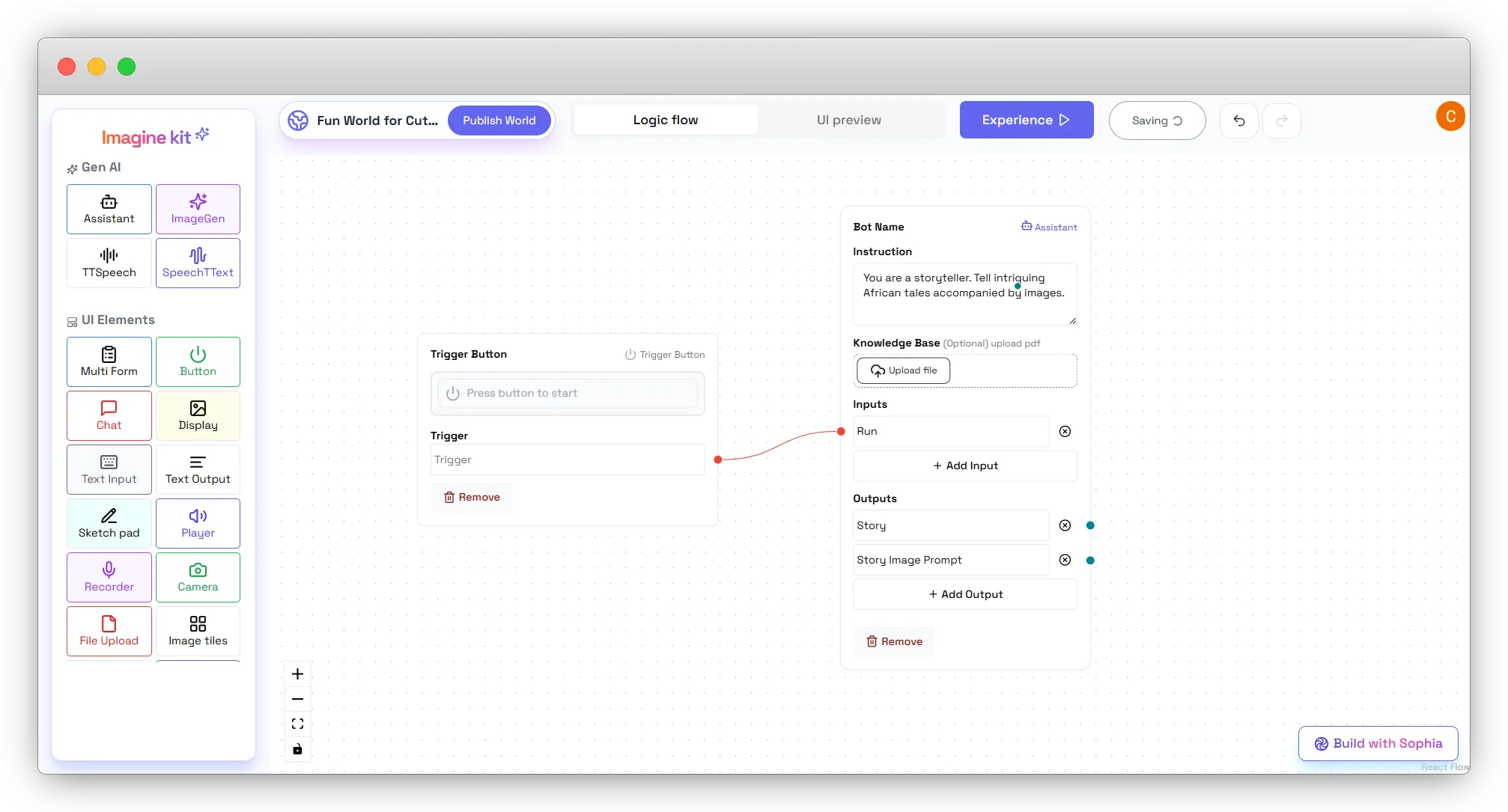
“You are a storyteller. Tell intriguing African tales accompanied by images.”
- (Optional) Upload a knowledge base to provide more context.
Define Inputs and Outputs:
-
Click Add Input on the Assistant node and name it Run.
-
Connect the Trigger Button to the Assistant node’s Run input.
-
Add outputs:
- Click Add Output on the Assistant node and name it Story.
- Story: Main text of the generated story.
- Add another Output on the Assistant node and name it Story Image Prompt.
- Story Image Prompt: Text prompt to generate an image matching the story’s theme.