🏗️ Buidling My First App
🖼️ Step 5: Generate and Display Images
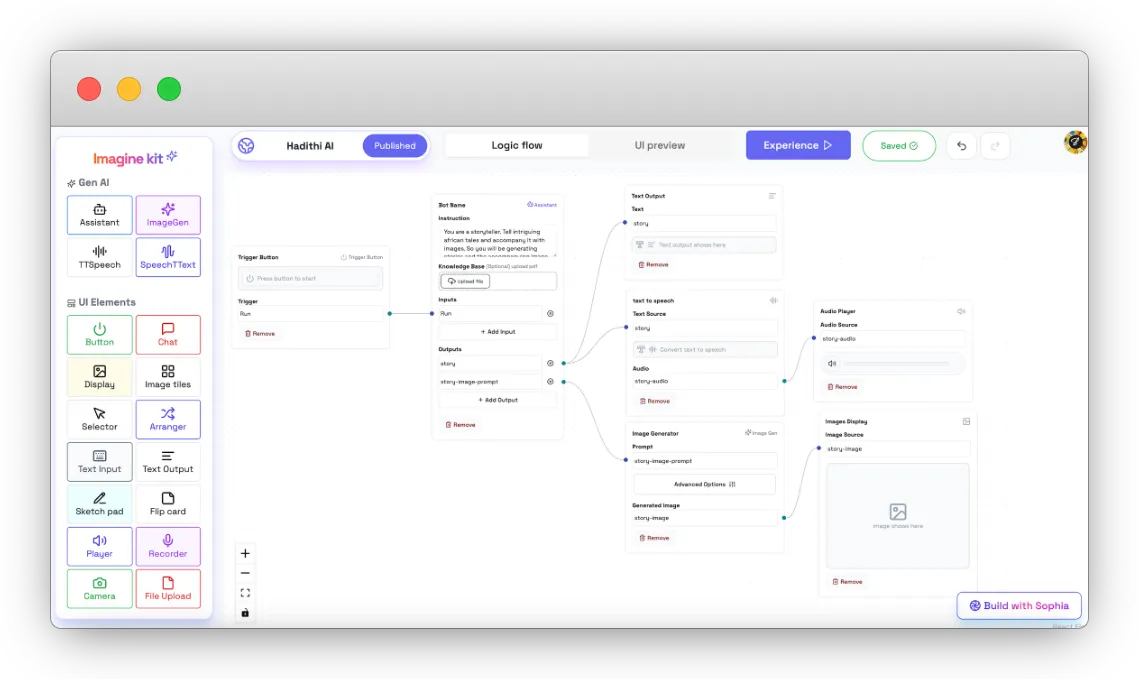
Add an Image Generator Node:
- Drag the Image Generator node to create an image based on the story.
- Connect it to the Story Image Prompt output.
- Adjust settings to match the storytelling theme.
Add an Image Display Node:
- Drag an Image Display node to showcase the generated image.
- Connect it to the Image Generator node’s output.
Your flow should look something like this by now: